The guest sends a request
They provide dates, contact details and the information needed to review the stay.
Direct booking
Receive requests from your website and speak directly with guests. Confirm each stay in guideyourguest, with no guideyourguest commission.
From €24/month Excl. VAT — €288 billed per year

From first click to a stay
Here is how guests send a request from your website. You stay in control of confirmation.
How it works
They provide dates, contact details and the information needed to review the stay.
The request appears as pending in the back office. The team can confirm or decline it.
The communicated outcome reflects the property’s decision, with no automatic confirmation.
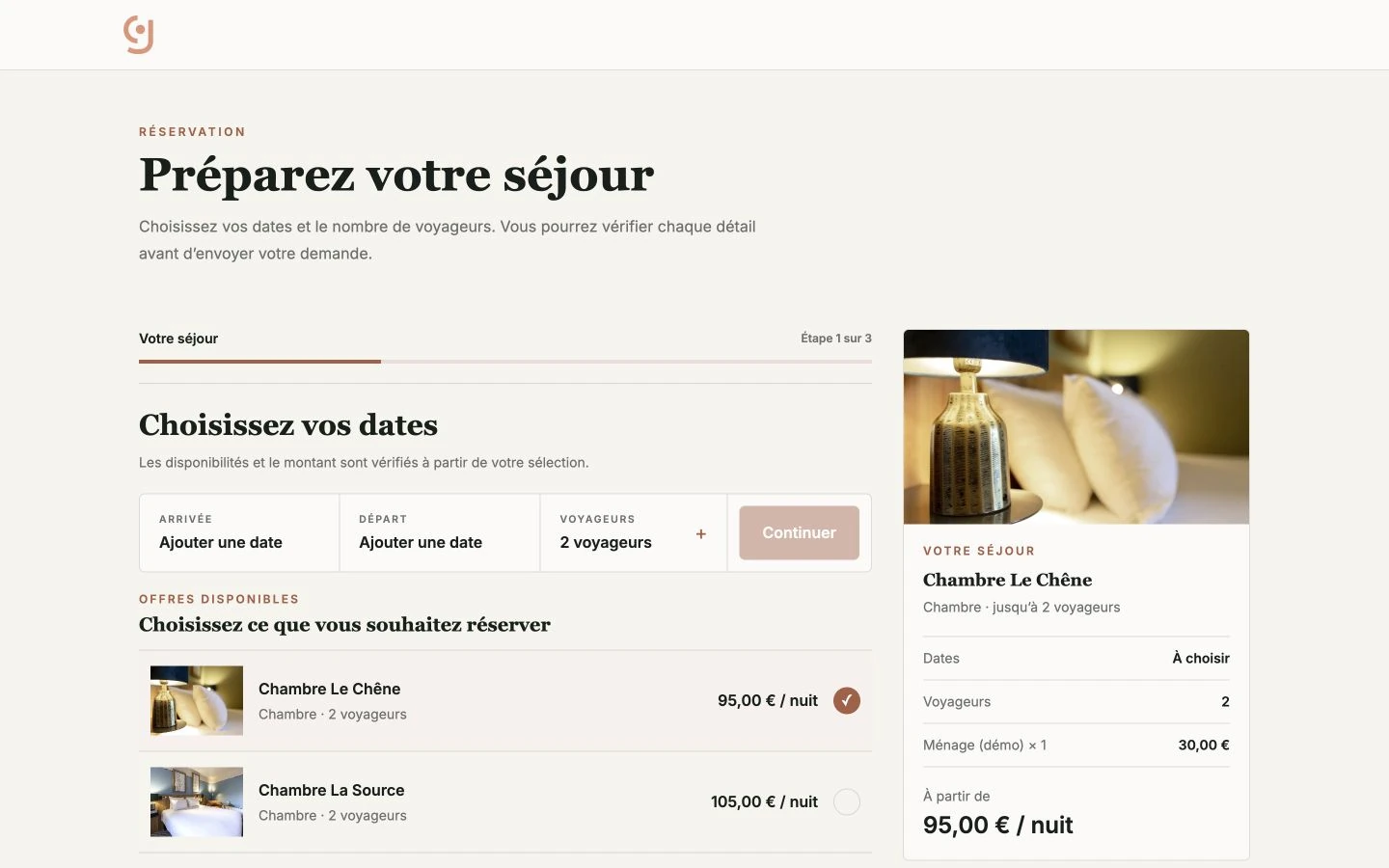
Gîte des Trois Chênes demo. Explore dates and accommodation without submitting a request.
A link to your existing engine. Guests select “Book” and leave guideyourguest to continue in your current solution.
Property side
When you link to an existing engine, it remains responsible for the journey. When you enable guideyourguest requests, your team makes the decision in the back office.
“Link” mode is not PMS synchronisation. “Request” mode requires your team to confirm or decline.
Define the destination. Add your current engine address or enable the guideyourguest request form.
Keep availability current. In request mode, calendars must stay up to date to present consistent information.
Process every request. A request remains pending until the property confirms or declines it.
Direct booking
For properties that win stays back from platforms, every direct booking avoids their commission. Adjust the assumptions with your own figures: the amount is a reference point, not a promise.
Around 8 bookings taken direct each month.
Before and after the request
The website explains the offer before the request; the guest guide takes over when the stay begins.
Frequently asked questions
The two configurations serve different operating models.
Not in the existing-tool configuration: guideyourguest simply opens its link. It does not exchange rates, availability or confirmations with that tool.
No. It remains pending until the property confirms or declines it.
Yes. You can keep its workflow and add its link to the website booking button.
guideyourguest does not take a commission on requests received through your own journey.
Your configuration
Show us how you currently manage rates, availability and confirmations. We will clearly explain the suitable configuration.
No engine to replace · Configuration explained before activation